Walk the aisles at IMTS 2026 and you’d think lights-out machining was solved. Pallet pools, robot loaders and zero-point workholding were everywhere. Automation is now designed into machines from day one.
But anyone who has run a cell overnight knows the uncomfortable truth: the automation rarely fails. The tooling does. A worn insert, a chip nest, a tool that is too long for the program, and the cell sits in alarm until the first shift arrives.
Here is a practical checklist for choosing and managing tooling that can run without a person watching.
1. Choose for predictability, not peak speed
In an attended process, you can push cutting data hard and watch for trouble. Unattended, you want tools that wear the same way every time. Choose grades and geometries known for even, predictable wear in your material, and run them at parameters that put reliability ahead of the last few seconds of cycle time. A part made slightly slower at 3 a.m. beats a scrapped part made fast.
2. Make chip control a selection criterion
Long, stringy chips are the enemy of unattended running. They wrap around tools, jam conveyors and damage surfaces. Choose chipbreaker geometries matched to your material and depth of cut. Consider through-coolant tools and high-pressure coolant for drilling and grooving.
3. Plan backup tools from the start
Every critical tool needs a backup (sister) tool in the magazine, set up and ready, with a tool life limit that tells the control when to switch. That means:
- Knowing the real tool life for each tool and material, not a guess.
- Having enough magazine pockets for backups, which affects machine choice.
- Using backup tools with identical geometry and gauge length so the program doesn’t change.
4. Monitor what you can’t see
In-machine tool setting, broken tool detection and spindle load monitoring act as the night shift’s eyes. They only work well if their reference values (expected length, diameter, load) come from accurate tool data.
5. Make the digital tool match the physical tool
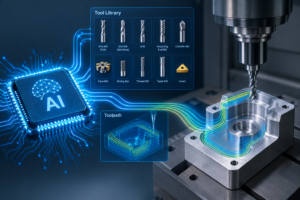
This is the step many shops skip. The tool in CAM, the tool in the presetter and the tool in the spindle must be the same, down to stick-out and holder shape. When a programmer works with a generic tool and the operator assembles something slightly different, the attended shift catches it. The unattended shift crashes.
The fix is a single digital definition for each assembly, built from manufacturer data and used everywhere:
- Build the assembly from verified cutter, holder and extension data, including 3D models.
- Program and simulate with that exact assembly in CAM.
- Preset and measure against the same definition, and send the offsets to the machine.
- Reuse the proven assembly on the next job instead of rebuilding it.
6. Start small, then scale
Don’t automate your hardest part first. Start with a stable, repeat job that already uses a known tool set. Prove it over a few nights, and capture what you learn (tool life, settings, alarms) in your tool library before you add more parts.
The bottom line
Automation hardware gets most of the attention at trade shows. The difference between a cell that runs all night and one that stops at midnight usually comes down to tooling decisions and tool data.
MachiningCloud helps shops build accurate, manufacturer-verified tool assemblies and send them to CAM, presetting and tool management, so the tool you planned is the tool that runs.