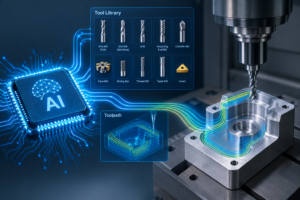
It’s a familiar story in manufacturing hubs across the country. A machine shop realizes they are bleeding money due to poor tool management. They have redundant inventory, machines sitting idle while operators hunt for the right carbide insert, and programmers guessing at feeds and speeds.
The solution seems obvious: invest in a robust Tool Management System (TMS).
The leadership team sits through slick demos showing perfectly organized virtual cribs, seamless ERP integration, and complex lifecycle tracking. They sign a five-or-six-figure check, excited for the revolution in efficiency.
Six months later, that expensive software is nothing more than a dust-gathering icon on an engineer’s desktop—expensive “shelfware” that failed to launch.
Why does this happen so often? Why do pragmatic, problem-solving manufacturing hubs struggle to implement systems designed to help them?
The Trap of Traditional TMS: Too Much, Too Hard, Too Slow
The failure of traditional TMS isn’t usually because the software is “bad”; it’s often because it is too good. These systems are engineered for gigantic enterprise corporations with dedicated IT departments and full-time tool administrators.
For the average machine shop, they are massive overkill, creating three major roadblocks to implementation.
1. The Data Entry Nightmare (The “Empty Box” Problem)
When you buy a traditional TMS, you aren’t buying a solution; you’re buying an empty database. Before the software can do anything, it needs data—dimensions, parameters, 3D models, and speeds and feeds for thousands of tools.
Who has to enter that data? You do.
Building the initial database is a monumental task requiring hundreds of hours of manual data entry. It’s tedious, error-prone work. Many shops stall right here. They realize they’ve bought a sports car, but they have to build the engine themselves before they can drive it.
2. Crushing Complexity and Feature Bloat
Most job shops and mid-sized manufacturers need to know three things: What tools do I have? Where are they? and Will this tool fit my machine without crashing?
Traditional TMS solutions offer that, buried underneath layers of features you will never use—complex regrind management workflows, multi-plant enterprise synchronization, and advanced purchasing algorithms. This complexity makes the software intimidating. Training new staff becomes a burden, and daily usage feels like navigating a maze rather than using a tool.
3. The Resource Vacuum
Because these systems are so complex and empty to start with, implementing them requires a dedicated project champion.
In most shops, the person tasked with this is already the busiest person in the building—the lead programmer or the manufacturing engineer. They don’t have 20 extra hours a week to dedicate to database population and software configuration. The project gets pushed to the back burner whenever a hot job comes in, and eventually, it dies there.
The Shift: Lightweight, Agile, and Connected
The industry is realizing that buying the biggest, most expensive software package isn’t the answer. The goal isn’t to own “powerful software”; the goal is to manage tools efficiently.
If a system takes a year to implement, it has failed the modern machine shop.
The primary barrier to TMS success wasn’t a lack of features—it was the overwhelming barrier of data entry and complexity.
Why MachiningCloud actually Gets Used
MachiningCloud is a paradigm shift. It is a lightweight, cloud-based solution designed specifically to overcome the hurdles that kill traditional TMS projects. It is built for the reality of the shop floor, not an IT boardroom.
Here is why shops are finally succeeding with MachiningCloud:
1. The Data is Already There (Goodbye, Manual Entry)
This is the game-changer. MachiningCloud partners directly with the world’s leading cutting tool manufacturers (like Sandvik Coromant, Iscar, and dozens more).
Instead of typing in dimensions from a paper catalog, you simply browse digital catalogs within the app. You drag and drop the tool components you need to build a digital assembly. All the descriptive data, the 3D models, and the cutting parameters are imported instantly, directly from the manufacturer source.
You don’t build the database. You just access it.
2. Simplicity by Design
MachiningCloud doesn’t try to be an ERP. It focuses on doing the essential jobs incredibly well: finding the right tool, assembling it virtually, ensuring it fits the machine, and exporting that data to your CAM software.
The interface is intuitive and visual. If you know how to use a web browser, you can use MachiningCloud. Training takes minutes, not days or even more.
3. Rapid Implementation and Immediate ROI
Because you aren’t spending six months typing in data, implementation happens fast. You can go from signing up to actively managing jobs and exporting 3D tool assemblies to your CAM system in a single afternoon.
It requires minimal resources to get started, meaning your lead engineer can actually use the tool to speed up programming, rather than spending their life configuring it.
Stop Buying Complexity. Start Managing Tools.
Don’t fall into the trap of buying a system so complex that it never gets used. Your shop doesn’t need more shelfware. It needs a practical, fast way to connect your physical tool crib to your digital workflow.
MachiningCloud provides the data, the simplicity, and the speed necessary to finally bring your tool management under control without breaking the bank—or your spirit.